# 如何获取Key？

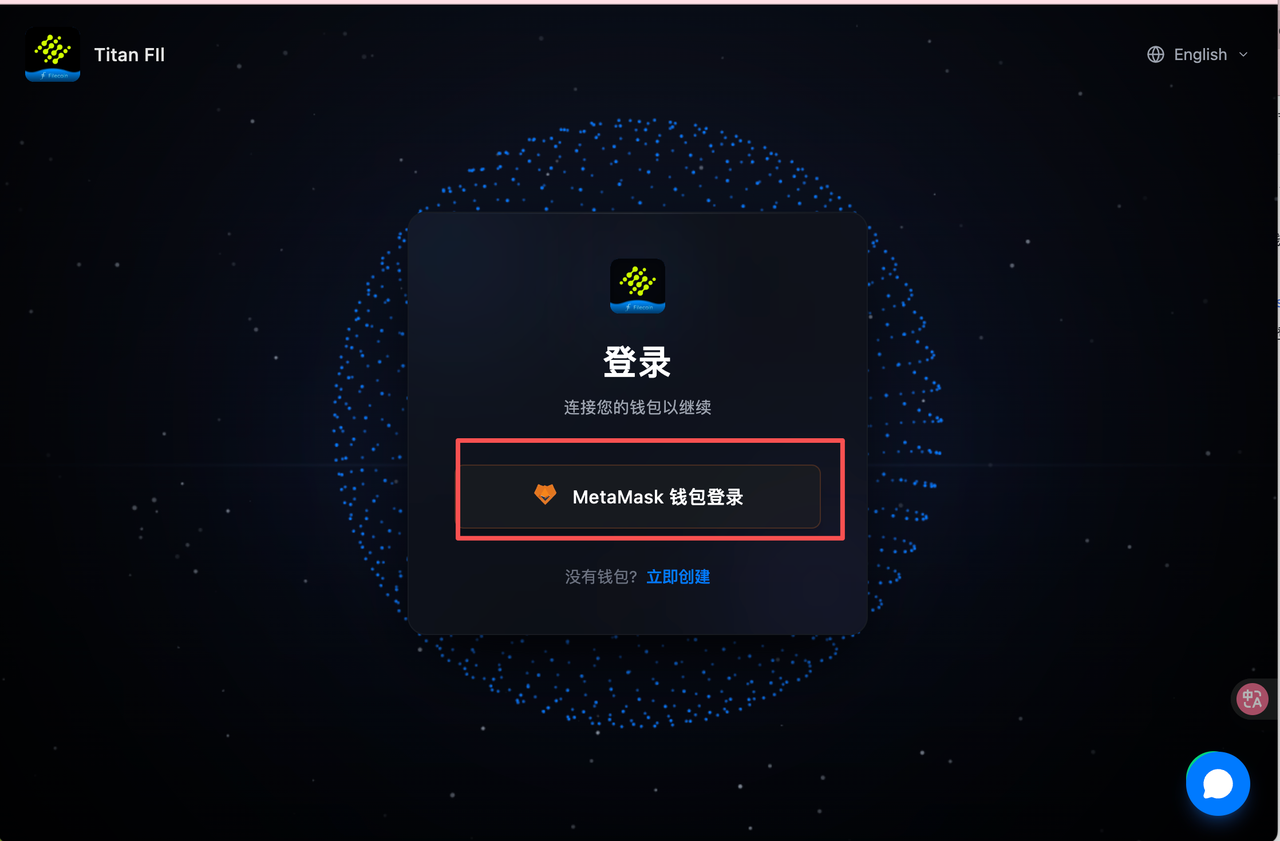
## 第一步：使用钱包登录后台

#### **1. 登录页**：<https://filecoin.titannet.io/>

使用MetaMask登录 Titan-FIL 的官方控制台。

<figure><img src="/files/hjtOjozQ47lX3p2Je4Be" alt=""><figcaption></figcaption></figure>

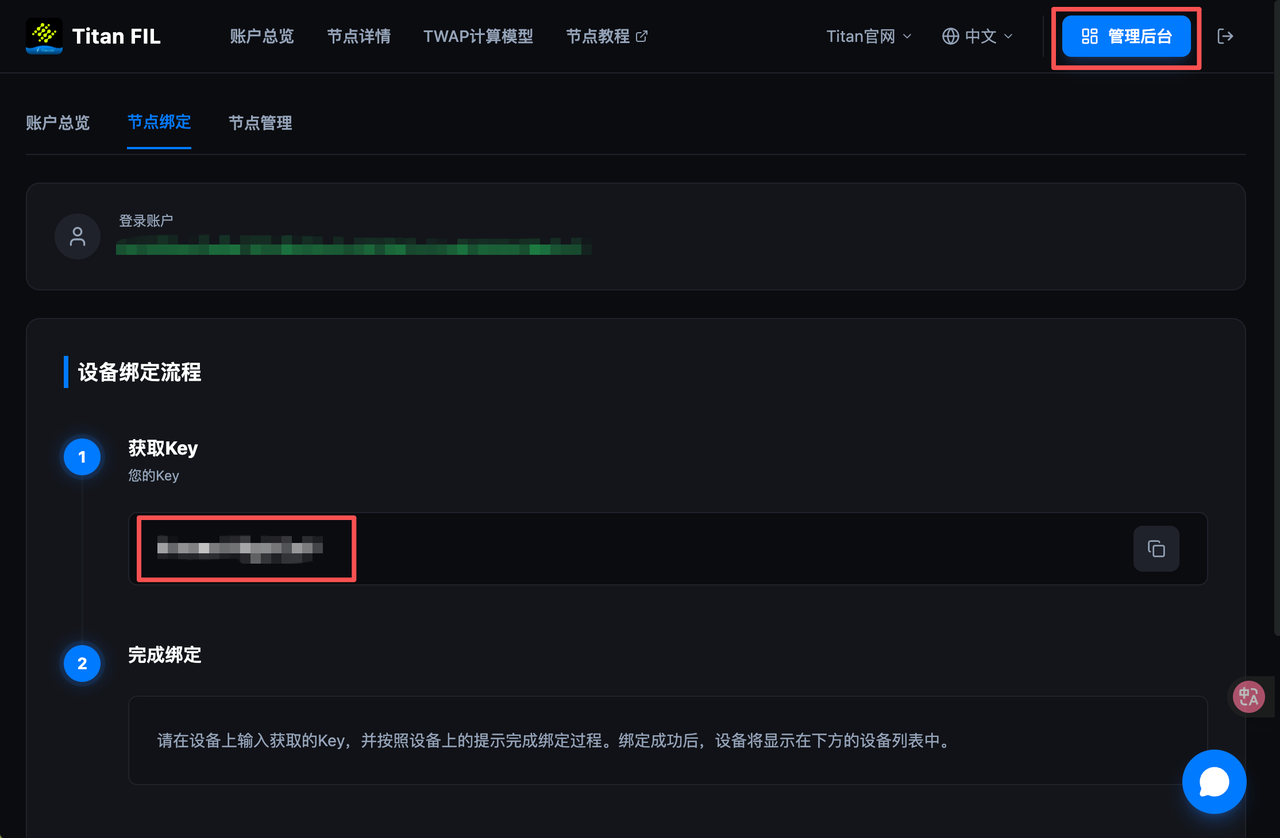
## 第二步：获取身份 Key (Identity Key)

进入管理后台：

登录后，在页面界面中找到 **"管理后台"** (或 Dashboard) 入口。点击 **"节点绑定" (Node Binding)** 选项，**复制 Key**。

<figure><img src="/files/NeQuEjGhGihcC0UE2K3e" alt=""><figcaption></figcaption></figure>


---

# Agent Instructions: Querying This Documentation

If you need additional information that is not directly available in this page, you can query the documentation dynamically by asking a question.

Perform an HTTP GET request on the current page URL with the `ask` query parameter:

```
GET https://titannet.gitbook.io/titan-network-cn/titan-fil/ru-he-huo-qu-key.md?ask=<question>
```

The question should be specific, self-contained, and written in natural language.
The response will contain a direct answer to the question and relevant excerpts and sources from the documentation.

Use this mechanism when the answer is not explicitly present in the current page, you need clarification or additional context, or you want to retrieve related documentation sections.