> For the complete documentation index, see [llms.txt](https://titannet.gitbook.io/titan-network-en/llms.txt). Markdown versions of documentation pages are available by appending `.md` to page URLs; this page is available as [Markdown](https://titannet.gitbook.io/titan-network-en/galileo-testnet/f.a.q./how-to-bind-your-usdc-wallet.md).
# How to Bind your USDC Wallet
This article explains how to bind a USDC earnings wallet for Titan Node using either OKX Wallet or MetaMask.
{% hint style="warning" %}
If your USDC wallet is bound, your Testnet4 Node earnings will be directly withdrawn to this wallet.
{% endhint %}
## **Register an OKX Wallet or MetaMask Wallet**
**If you already have a wallet, you can skip this step.**
Steps:\
(1) Go to the Chrome Web Store.\
(2) Search for "OKX" and install the extension.\
(3) Open the extension and register a wallet. Be sure to remember your mnemonic phrase to avoid losing your account.
## **Log in to the Testnet Console and Bind Your Wallet**
Login page:
Steps:\
(1) Go to the Account Overview page.\
(2) Click the "Bind USDC Wallet" button. A wallet selection pop-up will appear.\
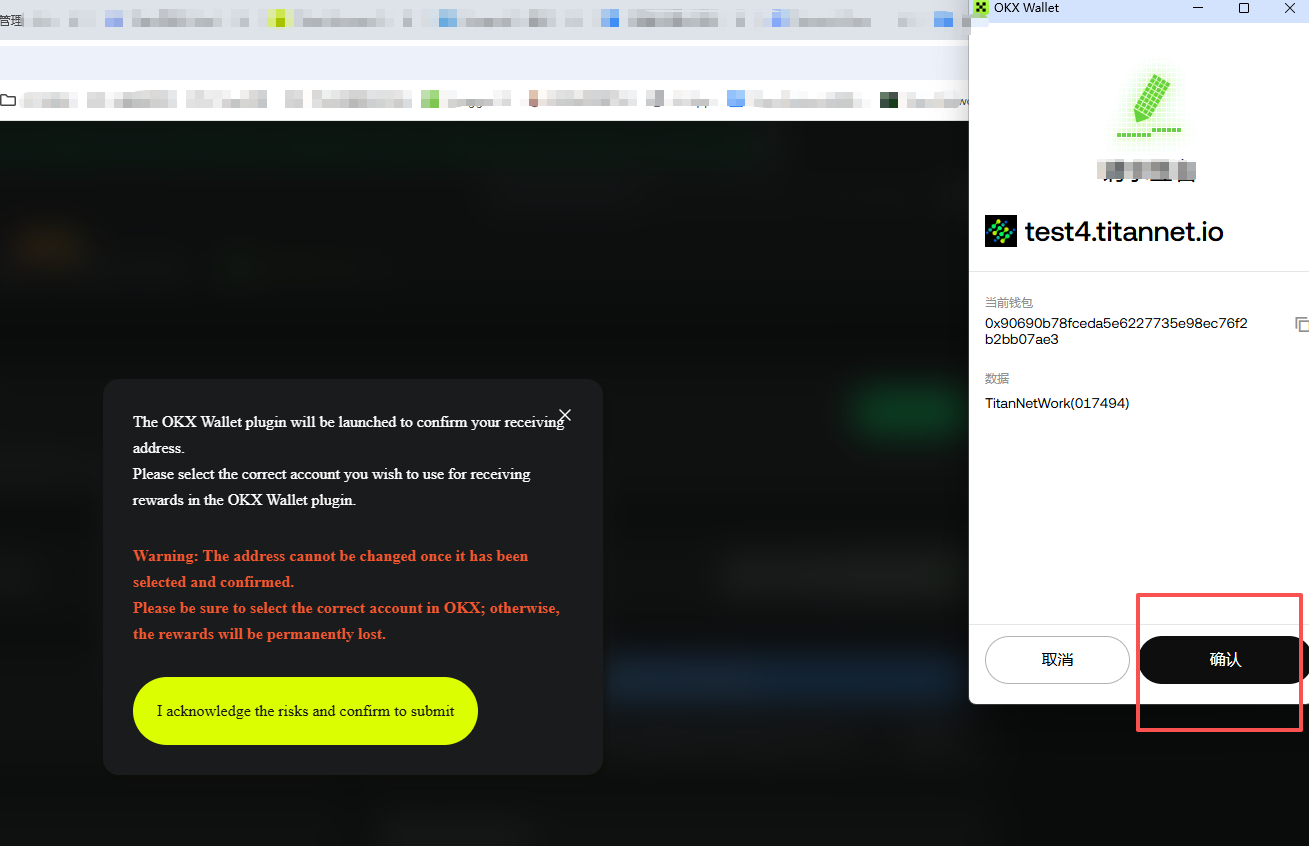
(3) Choose the wallet you want to bind and confirm. Your wallet extension will open and prompt you to approve.\
(4) Click "Confirm" to complete the binding.
**Confirm Successful Binding**\
If the page displays your specific wallet address, the binding was successful.
------------------------------------------------------------------------------
Once bound, your future USDC node earnings will be automatically withdrawn to this wallet.